
 admin
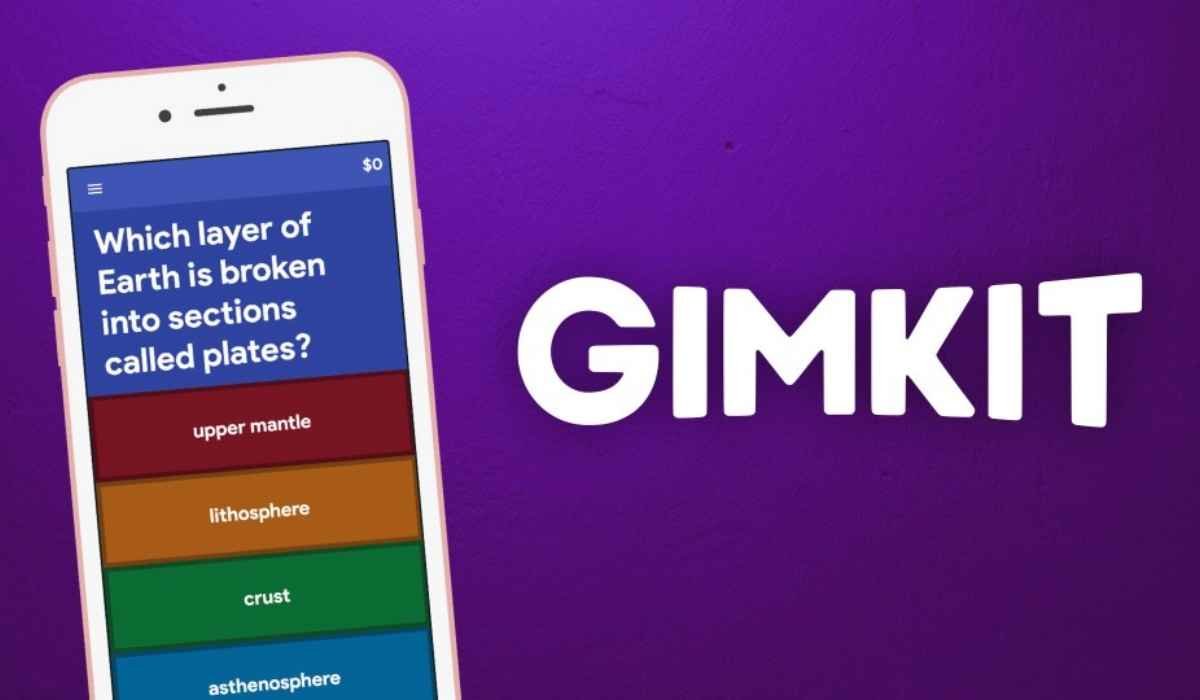
https://washingtondc.co.uk/Welcome to the ultimate guide on how to gimkit host game sessions that transform traditional classroom reviews into thrilling, gamified learning experiences for students of all ages. Whether you are an experienced educator looking to boost participation or a newcomer eager to explore interactive educational tools, understanding the nuances of hosting a session will elevate your teaching strategy. This comprehensive manual explores every aspect of managing live sessions, configuring game modes, maximizing student engagement, troubleshooting common technical hurdles, and leveraging built-in features to achieve optimal learning outcomes effortlessly.
Quick Bio
| Feature | Description |
|---|---|
| Focus Keyword | gimkit host game |
| Primary Audience | Educators, teachers, and trainers |
| Platform Type | Gamified learning and formative assessment |
| Core Benefit | Boosts student engagement and knowledge retention |
Understanding the Basics of Gamified Learning Environments
Modern classrooms thrive on interactivity, and learning how to gimkit host game activities gives instructors a powerful way to capture student attention immediately. Traditional quizzes often create anxiety, but introducing game mechanics changes the dynamic entirely by rewarding persistence, strategy, and collaboration. As participants answer questions correctly, they earn in-game currency that can be reinvested into upgrades, creating a balanced environment where both academic knowledge and tactical decision-making matter equally. Educators can customize existing kits or build unique content from scratch, ensuring complete alignment with specific curriculum requirements, weekly spelling lists, or standardized test preparation milestones.
Creating Your First Interactive Question Set

Before you can gimkit host game sessions successfully, you need a robust set of questions tailored to your students’ current academic level and learning objectives. The platform allows users to import vocabulary lists, math problems, or historical facts seamlessly through spreadsheet uploads or manual entry. Organizing your questions into clear categories ensures that gameplay remains challenging yet fair for everyone involved. Once your kit is finalized and saved in your library, you are only a few clicks away from launching a live session. Taking time to review your questions beforehand eliminates awkward pauses and keeps the energetic momentum flowing smoothly from start to finish.
Navigating the Live Lobby and Game Modes
Setting up a live experience requires choosing the right game mode to match your classroom’s energy and time constraints. When you gimkit host game lobbies, participants join using a unique code displayed on your main presentation screen. Classic mode focuses on individual progression and currency accumulation, while team modes encourage cooperative learning and peer support. You can also select time limits, cash goals, or tag-based objectives to keep gameplay fresh and exciting every single week. Monitoring the live lobby lets you verify that all students have logged in with appropriate usernames before you officially trigger the starting bell.
Customizing Shop Settings and Economic Balance

A defining feature that sets this platform apart is the in-game shop, where students spend earned currency on multipliers, streak bonuses, and passive income upgrades. When you gimkit host game sessions, adjusting these economic parameters allows you to control the pacing and competitive balance of the match. For younger learners or shorter class periods, tweaking the shop items to provide quicker rewards keeps frustration low and enthusiasm high. Advanced configurations can disable certain power-ups entirely if you want to emphasize rapid-fire accuracy over long-term strategic investments. Experimenting with these settings helps you discover the ideal sweet spot for your unique student demographic.
Managing Student Engagement and Participation
Maintaining high engagement throughout a live session requires active facilitation and monitoring from the instructor’s dashboard. As you gimkit host game events, the live leaderboard displays real-time standings, allowing you to highlight notable comebacks and celebrate consistent accuracy. Teachers can project this leaderboard on the front board to build friendly competition or keep it hidden if the environment calls for a more relaxed, self-paced review session. Encouraging students to focus on personal improvement rather than just the top spot ensures that struggling learners stay motivated and continue answering questions attentively until the final timer sounds.
Utilizing Audio and Visual Cues Effectively

Atmosphere plays a massive role in creating an immersive and exciting digital learning environment for your participants. When you gimkit host game activities, incorporating the platform’s upbeat background music and sound effects instantly signals to the room that learning time has transformed into game time. You can easily mute sounds if your classroom environment requires quiet focus or amplify them through room speakers during high-stakes tournament finals. Visual cues, such as flashing animations for streak milestones and color-coded feedback for answers, help reinforce correct concepts instantly and provide immediate reinforcement that supports long-term memory retention.
Implementing Homework and Asynchronous Assignments
Live sessions are fantastic, but the platform also shines when utilized for asynchronous homework assignments and independent practice. When you gimkit host game alternatives like assignment mode, students can complete kits at their own pace from home before specified deadlines. This flexibility empowers educators to use class time for deeper discussions while delegating repetitive drill practice to independent study hours. Reviewing the detailed post-game reports generated from these assignments gives teachers valuable data regarding which specific concepts require re-teaching during subsequent lessons.
Analyzing Post-Game Reports and Student Data
Data-driven instruction becomes remarkably straightforward when you leverage the comprehensive analytics provided after every completed session. Once you gimkit host game events, the system automatically compiles detailed spreadsheets highlighting overall accuracy, difficult questions, and individual student participation metrics. You can quickly identify which concepts proved troublesome for the majority of the class, allowing you to tailor your next direct instruction session accordingly. Exporting these valuable insights or sharing them with administrative staff demonstrates measurable student progress and validates the effectiveness of your gamified assessment strategies.
Troubleshooting Common Technical and Connection Issues
Technical glitches can occasionally disrupt a smooth lesson plan, but knowing how to resolve them quickly keeps frustration to a minimum. If students encounter loading delays while you gimkit host game sessions, refreshing browser tabs or switching to a stable alternative network usually resolves the connectivity bottleneck instantly. Ensuring that school firewalls whitelist the platform’s domain prevents login blocks before students even enter the lobby code. Having a backup plan, such as pairing students onto shared devices or switching to a paper-based review, guarantees that your instructional time remains productive regardless of unexpected digital hurdles.
Integrating Audio-Assisted Questions for Accessibility
Accessibility is a critical pillar of inclusive modern pedagogy, ensuring that all learners can participate fully regardless of reading proficiency levels. When you gimkit host game activities, enabling text-to-speech features allows auditory learners and younger students to hear questions read aloud clearly. This thoughtful accommodation supports students with reading difficulties, English language learners, and those with specific learning exceptionalities without singling them out in front of their peers. Combining visual text with audio support creates a multi-sensory learning experience that maximizes comprehension and boosts overall confidence across your entire classroom.
Encouraging Peer Collaboration Through Team Modes
Collaboration fosters essential social skills and teamwork, making team-based gameplay a fantastic addition to your instructional toolkit. When you gimkit host game cooperative modes, participants must communicate strategy, pool their virtual earnings, and coordinate upgrades to defeat rival teams. This dynamic shifts the focus away from individual pressure and encourages peer teaching as advanced students help explain difficult concepts to teammates who might be struggling. Observing these collaborative interactions provides teachers with wonderful opportunities to evaluate communication skills and positive classroom culture in real time.
Designing Custom Challenge Rules for Advanced Learners
Advanced students often crave extra intellectual hurdles to prevent boredom during standard review sessions. When you gimkit host game challenges, you can introduce custom rule sets, such as restricting shop purchases or increasing difficulty multipliers for top-performing players. These modifications maintain high engagement levels for quick learners while keeping the core content challenging and stimulating. Balancing these advanced rules ensures that your classroom accommodates diverse learning paces seamlessly during every single interactive review session.
Exploring Seasonal Events and Special Game Modes
Platform updates frequently introduce exciting seasonal themes, limited-time game modes, and fresh artwork that rejuvenate regular classroom routines. When you gimkit host game special holiday events, students experience novel mechanics that make reviewing mundane curriculum topics feel like an entirely new adventure. Keeping an eye on platform announcements ensures you never miss out on these engaging updates that capture student enthusiasm effortlessly. Incorporating these festive variations periodically throughout the school year prevents instructional fatigue and maintains high anticipation for upcoming review days.
Managing Classroom Behavior and Fair Play
Maintaining a positive, orderly environment is essential when introducing high-energy gaming elements into educational spaces. As you gimkit host game activities, establishing clear behavioral expectations regarding appropriate usernames and respectful communication prevents disruptive incidents. The host dashboard includes handy moderation tools that allow teachers to kick disruptive participants or reset inappropriate nicknames instantly with a single click. Combining fun gameplay with consistent classroom management guidelines ensures that everyone enjoys a safe, welcoming, and productive learning environment every time.
Connecting Game Performance to Curriculum Standards
Gamification is most effective when it directly reinforces official educational standards and core curriculum objectives. When you gimkit host game review sessions, explicitly connecting in-game success to upcoming standardized testing topics helps students recognize the real-world value of their practice. Teachers can tag specific questions with curriculum codes, making it easier to track mastery across broad subject domains over the course of an entire academic semester. This intentional alignment transforms fun classroom games into rigorous, accountable academic tools that satisfy institutional requirements without sacrificing student enjoyment.
Leveraging Student-Created Content for Active Learning
Shifting the responsibility of question creation from the teacher to the students fosters deeper cognitive engagement and higher-order thinking skills. When you gimkit host game student-made kits, participants take immense pride in seeing their peers answer questions they authored themselves. Assigning homework where students write quiz questions based on recent reading assignments is a proven strategy for reinforcing comprehension and retention. This collaborative approach lightens the educator’s preparation workload while empowering learners to take ownership of their own educational journey.
Scaling Gameplay for Large Assemblies and Workshops
Hosting interactive sessions for massive groups, such as entire grade levels or school-wide assemblies, requires specific logistical considerations. When you gimkit host game large-scale events, utilizing projection screens and robust Wi-Fi infrastructure ensures seamless participation for hundreds of simultaneous users. Selecting team-based modes or collaborative target goals works exceptionally well in large auditoriums by reducing individual server load and encouraging communal cheering. Proper preparation turns massive assemblies into unforgettable school spirit events that combine academic review with thrilling collective entertainment.
Building Long-Term Retention Through Spaced Repetition
Spaced repetition is a scientifically proven memory technique that combats the forgetting curve through periodic review intervals. When you gimkit host game review sessions regularly over the course of several weeks, students revisit older concepts in a low-stakes, highly engaging format. This consistent reinforcement moves knowledge from short-term working memory into permanent long-term storage, yielding vastly superior results on final exams. Designing a recurring Friday review routine using previously mastered kits keeps foundational skills sharp and ready for advanced application.
Evaluating the Impact of Gamified Formative Assessments
Measuring the tangible benefits of digital tools helps educators justify their integration within modern school ecosystems. When you gimkit host game assessments frequently, tracking the upward trajectory of student quiz scores and participation rates provides concrete proof of growth. Educators often notice marked improvements in classroom attendance, homework completion, and overall enthusiasm for challenging subjects like mathematics and foreign languages. Embracing these innovative digital methodologies ensures your teaching practice remains dynamic, effective, and deeply resonant with modern learners. For further insights into maximizing instructional impact through search engine optimization and digital resources, you can explore the SEO article.
Frequently Asked Questions
- How do students join a live session?
- Participants go to the platform website, enter the unique game code provided on your screen, and choose a nickname.
- Can I play without a paid subscription?
- Yes, a free tier is available with core features, while paid plans unlock advanced game modes and deeper editing capabilities.
- Are student accounts required to play?
- Students do not need accounts to join live games as guests, though having accounts helps track long-term progress.
- Can I assign games as asynchronous homework?
- Absolutely, teachers can set deadlines and assign kits for students to complete independently outside of class hours.
- How are winning ranks determined during gameplay?
- Winners are typically determined by total in-game currency earned through answering questions and strategic shop investments.